Placing Coordinator - Instructor Assigning/Unassigning
Placing Agency Related Guide (PARG)
Summary:
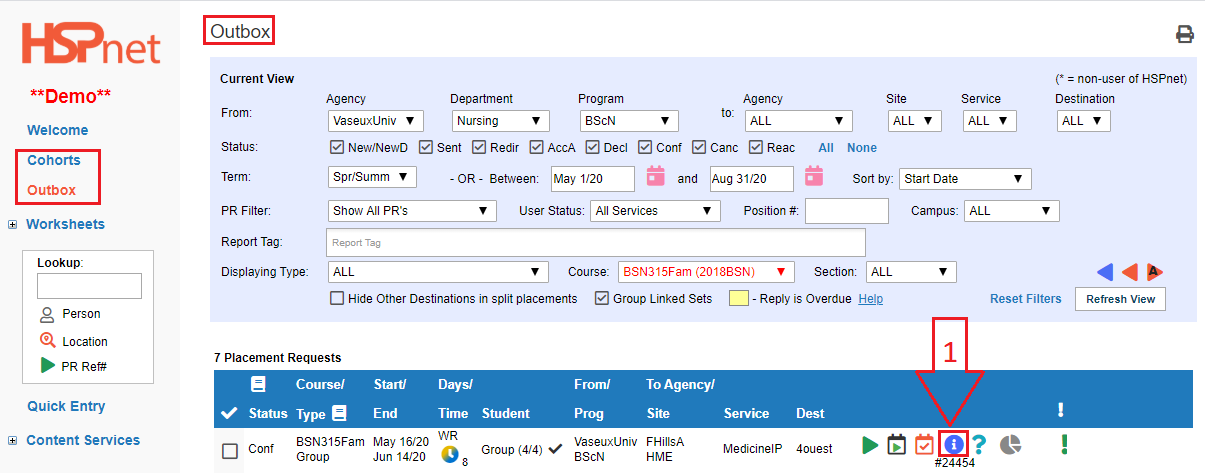
This shows how to assign or unassign an Instructor via the Outbox and the Assignment Worksheet (scroll down).
To Assign or Reassign an Instructor via the Outbox:
|
Outbox: In Cohorts go to your Outbox:
|
 |
|
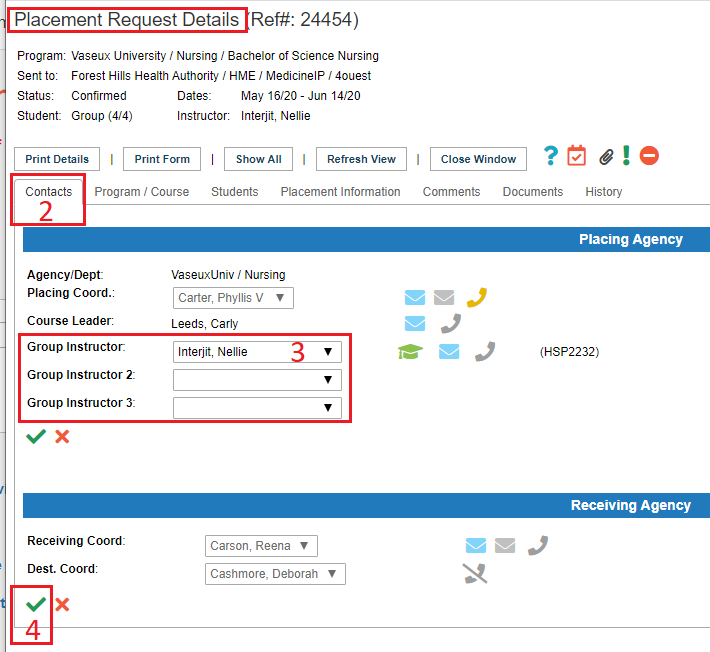
2. Select the contacts tab. 3. Select a different instructor from the drop down list 4. Save the changes with the green check mark. |
 |


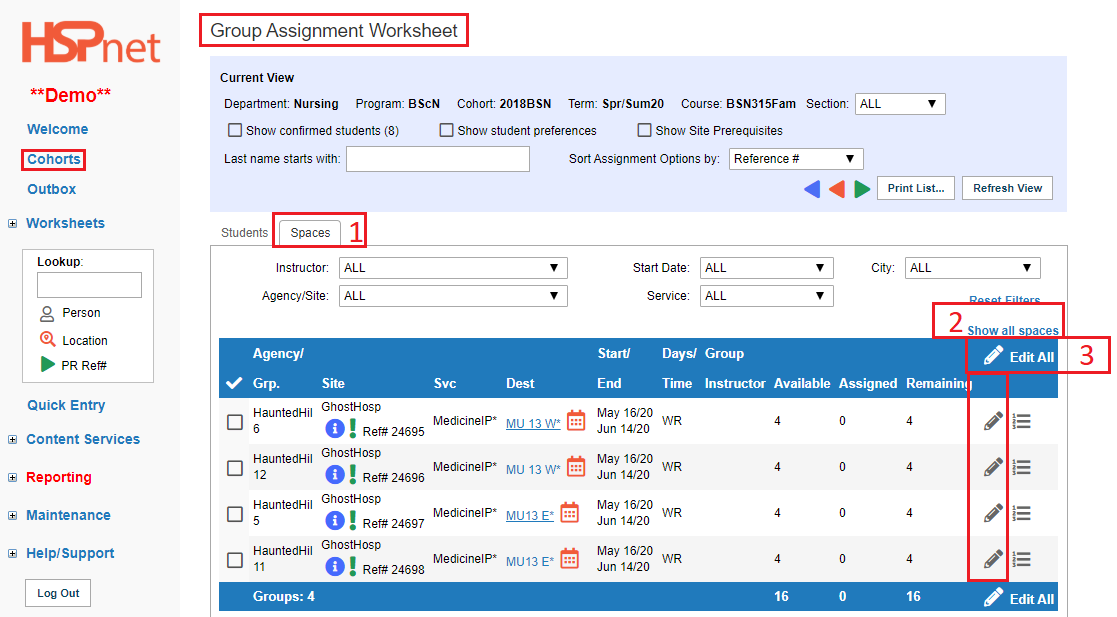
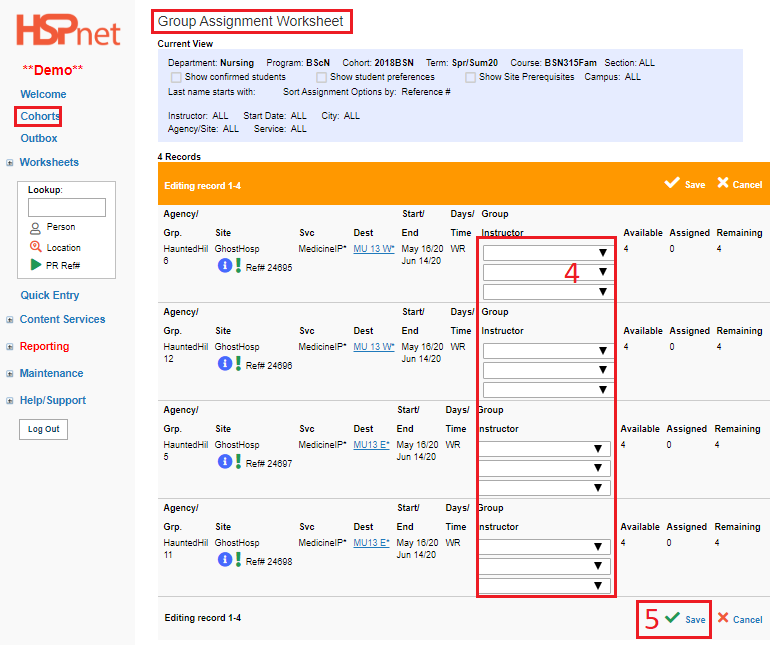
To Assign or Reassign an Instructor from the Individual or Group Assignment Worksheet:
|
Assignment Worksheet - Instructors can be assigned or reassigned once requests have been accepted.
|
|
|
|