Reporting - Custom Report Queue
Placing & Receiving Agency Related Guide (PARG RARG)
Summary:
In addition to the many pre-defined reports in the Report Menu, appropriate for your user role, you may request a custom report from the HSPnet Support team. A custom report may be needed when the required data:
- Isn't included in an existing pre-defined report or wizard.
- Exceeds your HSPnet access rights – for example an agency-wide report on behalf of your manager or director.
- Involves multiple agencies or organizations, such as all nursing schools in a city or region.
- Please Refer to the National HSPnet Policies if you have questions about the permitted uses of HSPnet data.
Background
Each user has ready access to data that is within his or her HSPnet access rights, via the pre-defined reports or wizards that are available in the Report Menu. For example a Placing Coordinator can generate a list of all placements within their allowed educational programs, and a Receiving Coordinator can build a preceptor listing for their allowed sites and disciplines.
When a pre-defined report or wizard cannot provide the data required, the HSPnet Support team can develop a customized query and deliver enhanced data to a user within their access rights.
For data that exceeds a user's regular access rights – e.g. for a committee review of capacity utilization across multiple regions – a custom report can be delivered provided the agencies that contributed the data agree to share their information.
For more information about access to data from HSPnet, please see Policy 3.6 of the National HSPnet
Policies on the website https://hspcanada.net/eng-policies/.
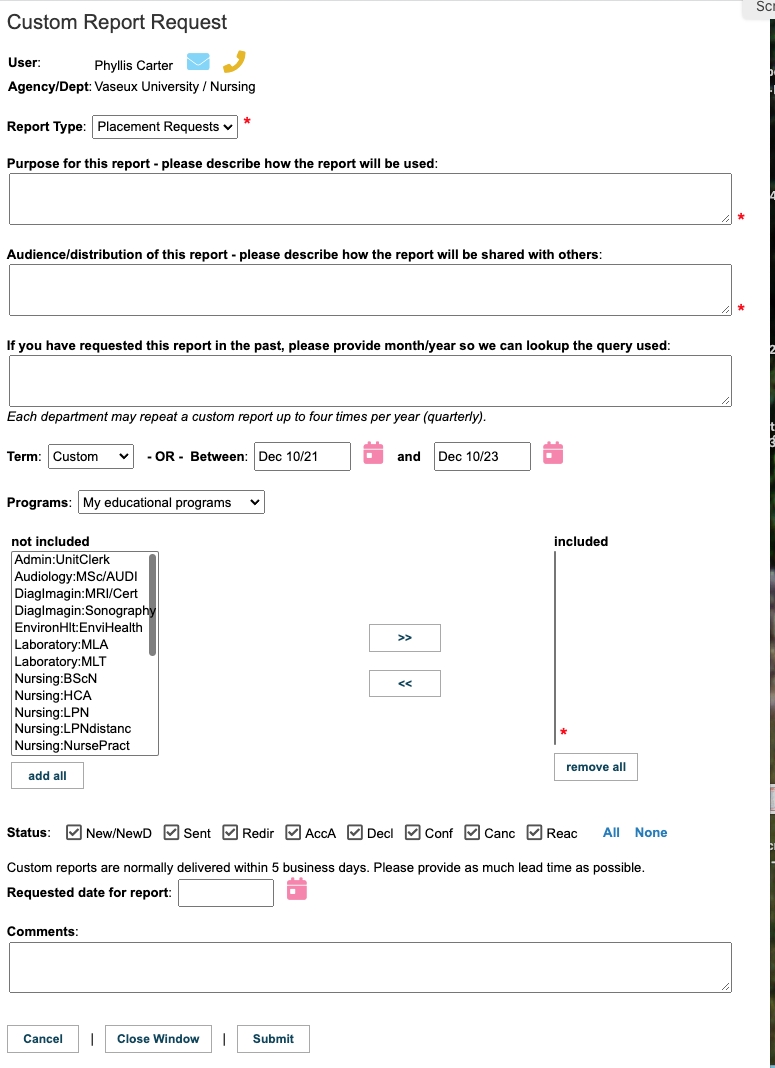
For all report types, you must describe the intended purpose and proposed Audience or distribution of the report, as the HSPnet team MUST apply the guidelines of the National HSPnet Policies on all requests to access to data.
To view a video on the Custom Reports Queue, click this link.
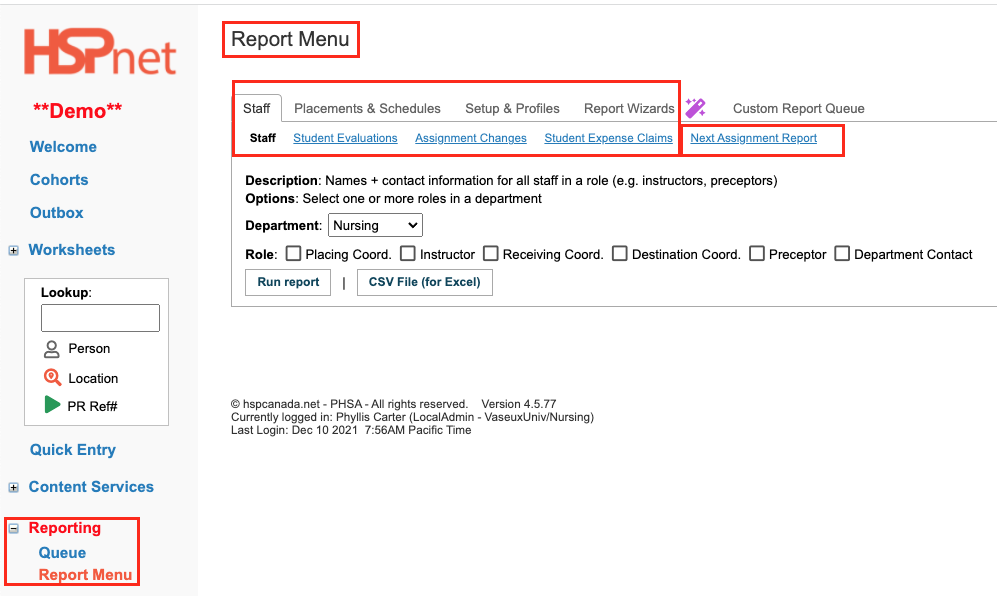
| Requesting a Custom Report Before submitting a request for a custom report, please view and test the pre-defined reports and wizards that are available for immediate use under Reporting > Report Menu
|
|
|
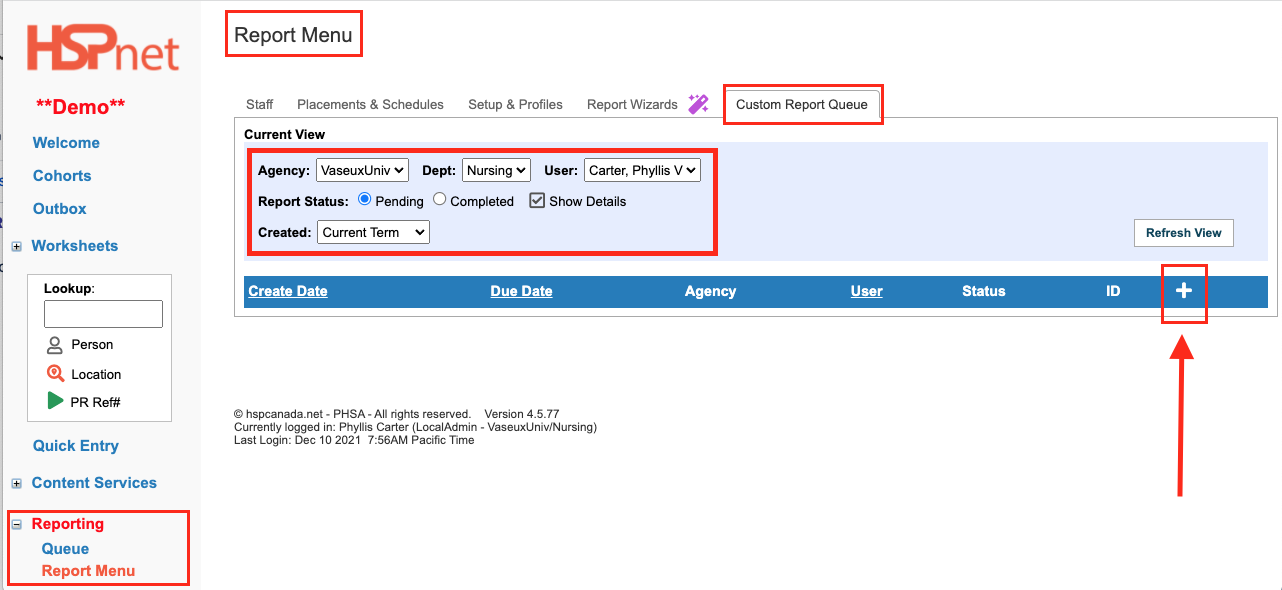
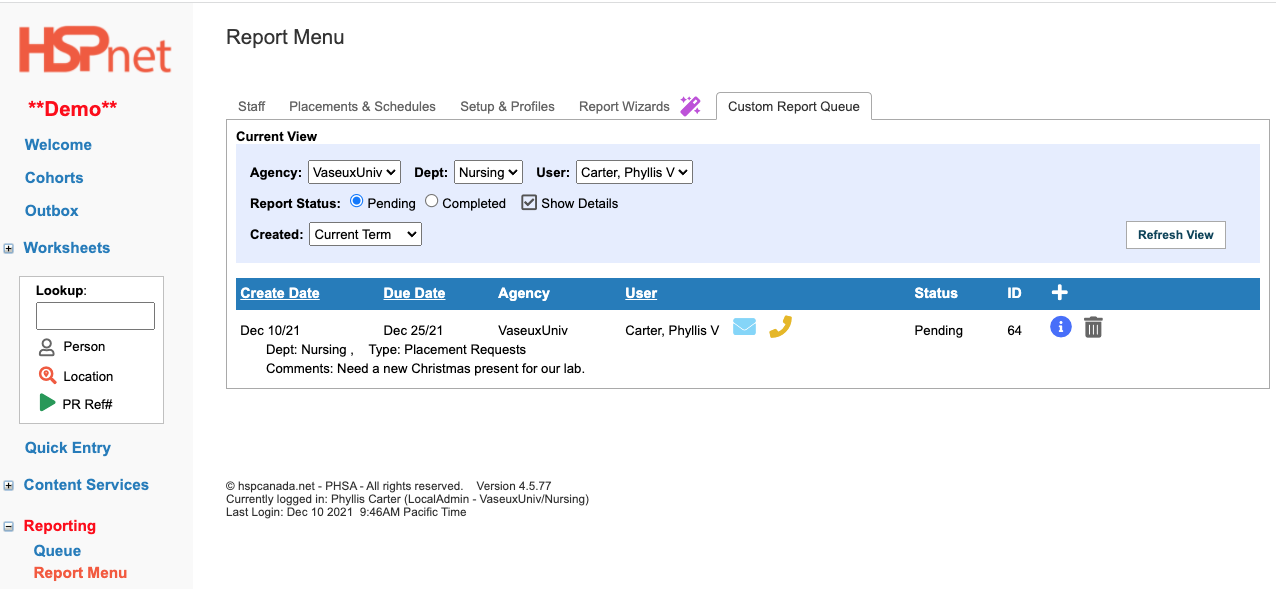
To access your Custom Report Queue tab:
In the Current View, you can:
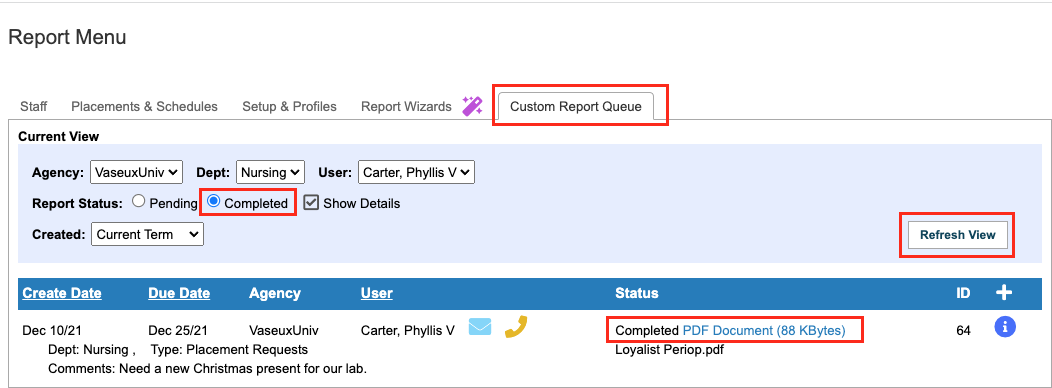
To view a list of reports that were previously submitted – you can toggle between a view of Pending reports (not yet generated by HSPnet Support) or Completed reports (delivered reports).
|
|
|
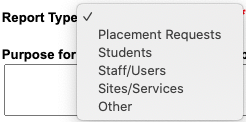
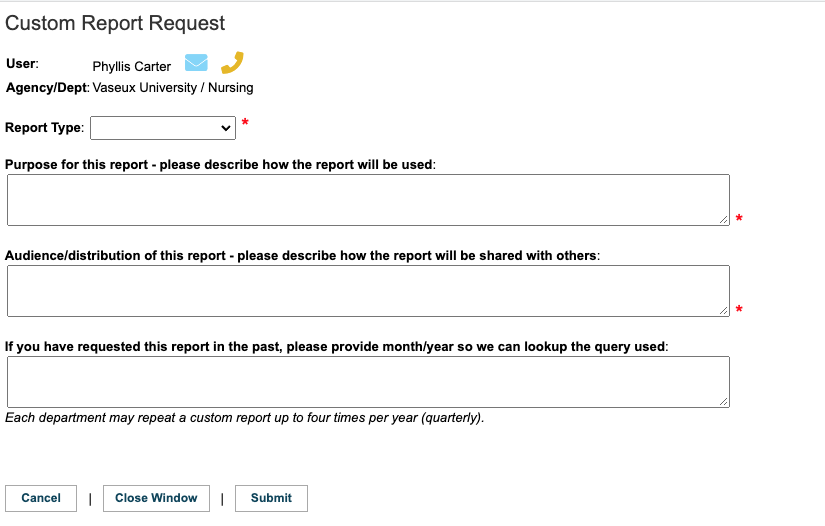
In the Custom Report Request window:
For all report types, you must describe the intended purpose and proposed Audience or distribution of the report, as the HSPnet team MUST apply the guidelines of the National HSPnet Policies on all requests to access to data.
|
No Report type entered yet
One Report type selected:
|
|
Your Custom Report Queue will be updated to display the new Pending request. Click a column header (e.g. Due Date) to sort a list of requests.
Custom Report for an Expired Student Placement History
If you are submitting a custom report for an expired student placement history, you will need to first obtain the student's written consent, in order to reactivate their profile. The steps should be as follows:
|
|
|
Downloading Completed Reports
You will receive an automated email from HSPnet when your report is uploaded and available in your Custom Report Queue.
|
|